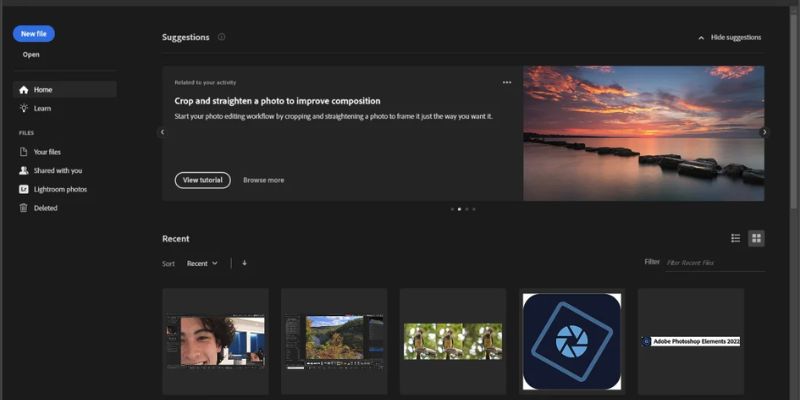
Essential skill for students, content creators, photographers, marketers, and business owners. Whether you want to edit vacation photos, design social media posts, create digital artwork, or enhance product images, having access to reliable photo editing software is important. Remains one of the industry’s leading image editing applications. Cost can be a challenge for beginners who are just starting their creative journey. Fortunately, several free alternatives offer powerful editing features without requiring a paid license.
Today’s free photo editing software includes advanced tools such as layers, masking, brushes, filters, and AI-powered enhancements that were once available only in premium applications. You can also learn through FITA Academy. These programs allow beginners to develop professional editing skills while working on personal or commercial projects. This guide explores five of the best free Photoshop alternatives for beginners, compares their features, and provides practical tips to help you start editing with confidence.
Why Beginners Should Choose Free Photoshop Alternatives
Starting with free photo editing software offers several advantages. Beginners often need time to understand editing concepts before investing in premium applications. Free alternatives provide an excellent learning environment without creating financial pressure. Most free editors include essential tools such as cropping, resizing, color correction, layers, brushes, text editing, and filters. These features allow users to complete everyday editing tasks while gradually learning more advanced techniques. Many programs also support popular file formats like JPEG, PNG, PSD, TIFF, and RAW images, making them suitable for both personal and professional use.
Another major benefit is accessibility. Some editors run directly in a web browser, while others are available for Windows, macOS, and Linux. This flexibility enables users to work from different devices without purchasing expensive hardware or software licenses. As beginners become more comfortable with editing workflows, they can transition to advanced software much more easily because many core concepts remain the same across different applications.
1. GIMP – The Most Powerful Open-Source Alternative
GIMP is one of the most popular free Photoshop alternatives available today. It has earned a strong reputation for offering professional-level editing capabilities while remaining completely free and open source. Includes advanced features such as layer masks, custom brushes, selection tools, cloning, healing, color adjustment, and extensive plugin support. It also supports PSD files, making collaboration with Photoshop users easier in many situations.
One of GIMP’s biggest strengths is its customization. Users can modify the interface, install additional plugins, and create personalized workflows based on their editing needs. Software runs on Windows and Linux, making it accessible to a wide range of users. You can also learn through Photoshop Classes in Chennai for expert guidance. Although the interface may initially feel overwhelming for complete beginners, numerous tutorials and active online communities make learning much easier. For users seeking a long-term free editing solution with professional capabilities, GIMP remains one of the strongest choices.
2. Photopea – The Best Browser-Based Editor
Photopea has become increasingly popular because it delivers a Photoshop-like experience directly in a web browser. Users can start editing immediately without downloading or installing any software. Its interface closely resembles Adobe Photoshop, making it an excellent option for beginners who eventually plan to learn Photoshop professionally. Photopea supports PSD, AI, XD, Sketch, PDF, JPEG, PNG, SVG, and many other file formats.
The software includes layers, smart objects, adjustment layers, masks, blending modes, filters, and advanced selection tools. These features allow users to perform sophisticated image editing directly from their browser. Another major advantage is cross-platform compatibility. Since it operates online, users can access Photopea from Windows, macOS, Linux, or Chromebooks without worrying about software installation.
3. Krita – Perfect for Digital Artists
Although Krita is widely recognized as a digital painting application, it also offers impressive image editing capabilities. It is particularly suitable for beginners interested in illustration, concept art, comics, animation, and creative design. Krita provides hundreds of customizable brushes, advanced layer management, masking tools, color correction features, and non-destructive editing options. Its brush engine is considered one of the best available in free creative software.
Artists appreciate Krita’s intuitive interface, tablet support, and highly responsive drawing tools. Beginners who own graphics tablets can quickly develop digital painting skills using its professional-quality features. The software is available for Windows, macOS, and Linux, with regular updates contributed by its active open-source community. You can learn it form Training Institute in Chennai with expert guidance. Although Krita is not specifically designed for heavy photo retouching like Photoshop, it excels in creative illustration and artistic editing projects, making it an excellent choice for aspiring digital artists.
4. Paint.NET – Simple Yet Effective
Paint.NET offers an excellent balance between simplicity and functionality. Originally developed as an educational project, it has evolved into one of the most user-friendly image editors for Windows users. Its clean interface makes navigation easy for beginners who may find advanced editing software intimidating. Despite its simplicity, Paint.NET includes layers, unlimited undo history, blending modes, selection tools, text editing, color adjustments, and numerous special effects.
The software launches quickly and performs efficiently, even on older computers with limited hardware resources. Users can further extend its capabilities by installing plugins created by the active Paint.NET community. Paint.NET is particularly suitable for basic photo editing, graphic creation, image resizing, simple retouching, and social media content design. While it lacks some advanced professional features found in Photoshop or GIMP, its ease of use makes it an ideal starting point for beginners learning fundamental editing techniques.
5. Pixlr – Fast Online Editing for Everyday Projects
Pixlr is another excellent browser-based photo editor that combines simplicity with powerful editing features. It is especially useful for users who want to edit images quickly without installing desktop software. Pixlr offers AI-powered background removal, automatic image enhancement, filters, overlays, templates, text tools, and layer support. These features of photoshop. Make it particularly attractive for creating social media graphics, marketing materials, and promotional content.
The interface remains clean and beginner-friendly, allowing users to complete editing tasks with minimal learning time. Since Pixlr operates online, users can switch between devices while maintaining access to their projects. The software offers both free and premium versions, with the free edition providing sufficient features for most beginner editing needs. For students, bloggers, freelancers, and small business owners seeking convenient browser-based editing, Pixlr provides an excellent combination of speed, accessibility, and functionality.
Right Photo Editing Software
Selecting the best Photoshop alternative depends on your personal goals rather than simply choosing the software with the most features. If your objective is professional photo retouching, GIMP provides the most comprehensive editing toolkit. Users planning to transition to Adobe Photoshop later may find Photopea’s familiar interface especially valuable.
Artists, illustrators, and comic creators should strongly consider Krita due to its exceptional drawing tools and creative workflow. Windows users looking for straightforward editing software with minimal complexity will appreciate Paint.NET’s clean interface. Those who frequently work across multiple devices or prefer cloud-based editing may find Pixlr or Photopea more convenient because they require only a web browser.
Trying multiple programs before settling on one allows beginners to discover which interface, workflow, and feature set best matches their creative style and editing requirements.
Essential Tips for Beginners Learning Photo Editing
Learning photo editing becomes much easier by focusing on core skills before exploring advanced techniques. Begin by understanding layers. Users can edit different parts of an image independently without permanently affecting the original file. Practice using selection tools accurately for object removal, background replacement, and localized adjustments. Learn basic color correction techniques involving brightness, contrast, saturation, white balance, and exposure.
Keyboard shortcuts greatly improve editing speed over time, making workflows more efficient. Saving projects in editable formats preserves layers and allows future modifications without losing previous work. Beginners should also adopt non-destructive editing whenever possible. Using adjustment layers, masks, and duplicate layers protects original images while encouraging experimentation.
Common Mistakes Beginners Should Avoid
Many beginners unintentionally develop habits that reduce image quality or slow their learning progress. One of the most common mistakes is excessive editing. Oversaturated colors, overly smooth skin, and aggressive sharpening often produce unrealistic results. Another frequent error is working directly on the original image instead of creating duplicate layers. This limits editing flexibility and makes corrections difficult later.
Ignoring image resolution can also create problems, especially when preparing designs for printing or large displays. Beginners should always consider the intended output before starting a project. Many users neglect proper file organization, making it difficult to locate projects or manage multiple revisions. Creating structured folders and meaningful filenames saves considerable time. Finally, relying entirely on automatic filters without understanding manual adjustments limits long-term skill development. Learning the reasoning behind editing decisions leads to much better results.
Conclusion
Free Photoshop alternatives have become remarkably powerful, providing beginners with everything needed to learn professional-quality image editing without paying expensive subscription fees. Whether you choose GIMP for advanced editing, Photopea for Photoshop-like functionality, Krita for digital art, Paint.NET for simplicity, or Pixlr for browser-based convenience, each option offers unique strengths for different creative goals.
The best choice depends on your editing needs, preferred workflow, and learning style. Regardless of which software you select, consistent practice, hands-on experimentation, and continuous learning are the keys to improving your editing skills. As these free applications continue to evolve with AI-powered features, cloud integration, and enhanced performance, beginners now have more opportunities than ever to create impressive visual content without financial barriers. By choosing the right tool and building strong editing fundamentals, you can confidently begin your journey into digital creativity and professional photo editing.