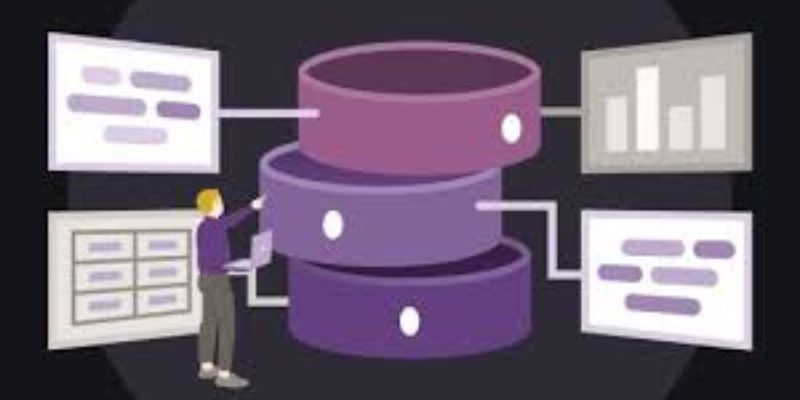
One of the most potent and popular relational database management systems worldwide is Oracle Database. It is essential for the safe and effective management of enormous amounts of data by banks, government agencies, multinational firms, and other enterprises. Knowing Oracle Database gives you a significant advantage if you want to pursue a career in database administration, backend programming, or enterprise IT infrastructure.
Unique due to its advanced security features, scalability, and dependability. It facilitates cloud-based installations, data warehousing, and high-performance transaction processing. Powers a large number of mission-critical systems since downtime and data loss are unacceptable in these settings. FITA Academy provides in-depth Oracle training to help professionals master database management and SQL concepts. Learning Oracle Database correctly teaches you how to manage, secure, optimize, and expand enterprise-level systems in addition to how to store data.
Understanding Oracle Database Architecture
You must first comprehend Oracle’s architecture in order to fully comprehend it. The database and the instance are the two main parts of an Oracle database. The physical files that are kept on disk, such as data files, control files, and redo log files, are referred to as databases. The database is managed by background processes and memory structures that make up the instance.
The System Global Area (SGA) and the Program Global Area (PGA) are the two main memory structures. The buffer cache and shared pool are examples of shared memory components that are stored in the SGA. Writing data and logs to disk is handled by background processes like DBWR (Database Writer) and LGWR (Log Writer). These memory structures and background processes are used by Oracle to handle user queries. You can more successfully diagnose performance issues and maximize system efficiency by comprehending this flow.
Installing and Setting Up Oracle Database
You must properly configure the environment before using Oracle. ODatabase can be installed on Linux or Windows computers, or Oracle Cloud services can be utilized. Express Edition (XE), which is free and learning-friendly, is where many novices begin. Oracle Training in Chennai delivers detailed database management instruction, practical scenarios, and expert support.
Create a database instance and set up environment variables during installation. To connect to your database, use tools such as Oracle SQL Developer or SQL*Plus. Writing and testing queries is made easier with SQL Developer’s intuitive graphical user interface. Check that services are operating correctly after installation. Try launching and shutting down the database. Acquire knowledge of fundamental administrative commands. You gain confidence and get ready for more complex database operations with a clean installation and correct setup.
Basics of SQL in Oracle
Database interaction is based on Structured Query Language, or SQL. SQL is used in Oracle to manage access, construct structures, and modify data. Use DDL (Data Definition Language) commands like CREATE, ALTER, and DROP to get started. You can define tables and database objects with the use of these commands. Then, become familiar with DML (Data Manipulation Language) commands such as SELECT, DELETE, UPDATE, and INSERT. These let you operate with data that has been stored.
To manage permissions, be familiar with DCL (Data Control Language) operations like GRANT and REVOKE. To ensure data consistency, become familiar with TCL (Transaction Control Language) operations like COMMIT and ROLLBACK. Every day, practice writing questions. Pay attention to indexes, group functions, subqueries, and joins. The foundation of Oracle proficiency is a strong foundation in SQL.
Working with Tables, Constraints, Indexes, and Views
Data is kept in tables in rows and columns. Make sure to specify the proper data types and constraints when creating tables. Data integrity is ensured by constraints like PRIMARY KEY, FOREIGN KEY, UNIQUE, and NOT NULL. Because they enable quicker data retrieval, indexes enhance query performance. Don’t use indexes too much because they can slow down insert and update processes. Balance your performance carefully. A B School in Chennai can significantly boost your career readiness and employability by enhancing your Oracle database management skills, SQL expertise, and real-time data handling capabilities.
You can create virtual tables based on queries by using views. You could, for instance, design a view that displays staff names but conceals salary information. Knowing how these components interact guarantees that your database will continue to be secure, well-organized, and performance-optimized.
Introduction to PL/SQL and Stored Procedures
Oracle uses PL/SQL (Procedural Language/SQL) to expand SQL. Writing procedural code in the database, such as loops, conditions, and exception handling, is possible with PL/SQL. You can write triggers, functions, and stored procedures in PL/SQL. By carrying out logic directly within the database, stored procedures aid in performance improvement and the automation of repetitive processes.
For instance, updating account balances during transactions can be accomplished by creating a stored procedure. The process takes care of everything internally rather than sending several queries from an application. Because business logic is located at the database layer, PL/SQL increases security and efficiency. Gaining knowledge of PL/SQL increases your value as a database professional and developer.
Backup, Recovery, and Security Fundamentals
In corporate settings, data protection is essential. Oracle offers strong recovery and backup systems. Learn how to automate backup and restoration processes with RMAN (Recovery Manager). Recognize the various backup formats, including archived log, incremental, and complete backups. In a test environment, practice restoring a database from a backup. This practical experience gets you ready for situations that may arise in the real world.
Security is just as crucial. To control access, create roles and users. Make use of encryption technologies and strong password policies. Also by knowing how to become an Oracle developer will make your road map easy. Audit database operations to keep an eye out for questionable behavior. A competent Oracle specialist makes sure that data is safe, recoverable, and in line with industry standards in addition to managing it.
Performance Tuning and Optimization Basics
Your database will function effectively under demanding workloads if performance optimization is done. Use execution plans to analyze sluggish queries first. Find entire table scans and use revised queries or indexes to optimize them. Monitor the SGA and PGA memory allocation. Depending on the system burden, carefully adjust the values. Steer clear of pointless indexing and correctly optimize joins.
Analyze performance indicators using tools such as Automatic Workload Repository (AWR) reports. Recognize CPU, memory, or disk utilization bottlenecks. Tuning performance is a continuous process. Workloads evolve with data growth. Improved user satisfaction and quicker response times are guaranteed with a well-optimized Oracle database.
Career Paths and Oracle Certifications
Numerous professional possibilities become accessible with an understanding of Oracle Database. You can pursue careers as a Cloud Database Engineer, SQL Developer, Database Administrator (DBA), or Data Analyst. Oracle expertise is constantly in high demand from large enterprises. Certifications like Oracle Certified Associate (OCA) and Oracle Certified Professional (OCP) are worth obtaining. Certifications increase the authenticity of your resume and authenticate your knowledge.
Combine practical assignments with focused certification preparation to strengthen your Oracle expertise. Create test databases, refine and optimize your queries, and rehearse backup and recovery scenarios to build real confidence. Employers value both strong theoretical understanding and proven hands-on experience. When you dedicate consistent effort to mastering Oracle Database, you position yourself for stable, long-term, and rewarding career opportunities in enterprise IT environments.
Build Strong Oracle Foundations
To master Oracle databases, follow a structured study plan and practice consistently. Start by learning SQL fundamentals, understand Oracle architecture, explore PL/SQL programming, and develop skills in backup and performance tuning. Focus on solving real-world scenarios instead of memorizing commands. Practice daily, experiment in a safe environment, and challenge yourself with complex problems to strengthen your expertise.
As you continue improving, you will confidently grow from a beginner into a skilled Oracle professional. Oracle continues to lead enterprise database systems, and when you master both its core and advanced features, you build a highly valued, respected, and in-demand skill set in the IT industry.